
YouTube Ad Placements: What Editors Need to Know
YouTube offers three primary in-stream ad formats – **Bumper Ads**, **Skippable In-Stream Ads**, and **Non-Skippable In-Stream Ads**. Each comes with specific technical requirements and unique creative considerations.…
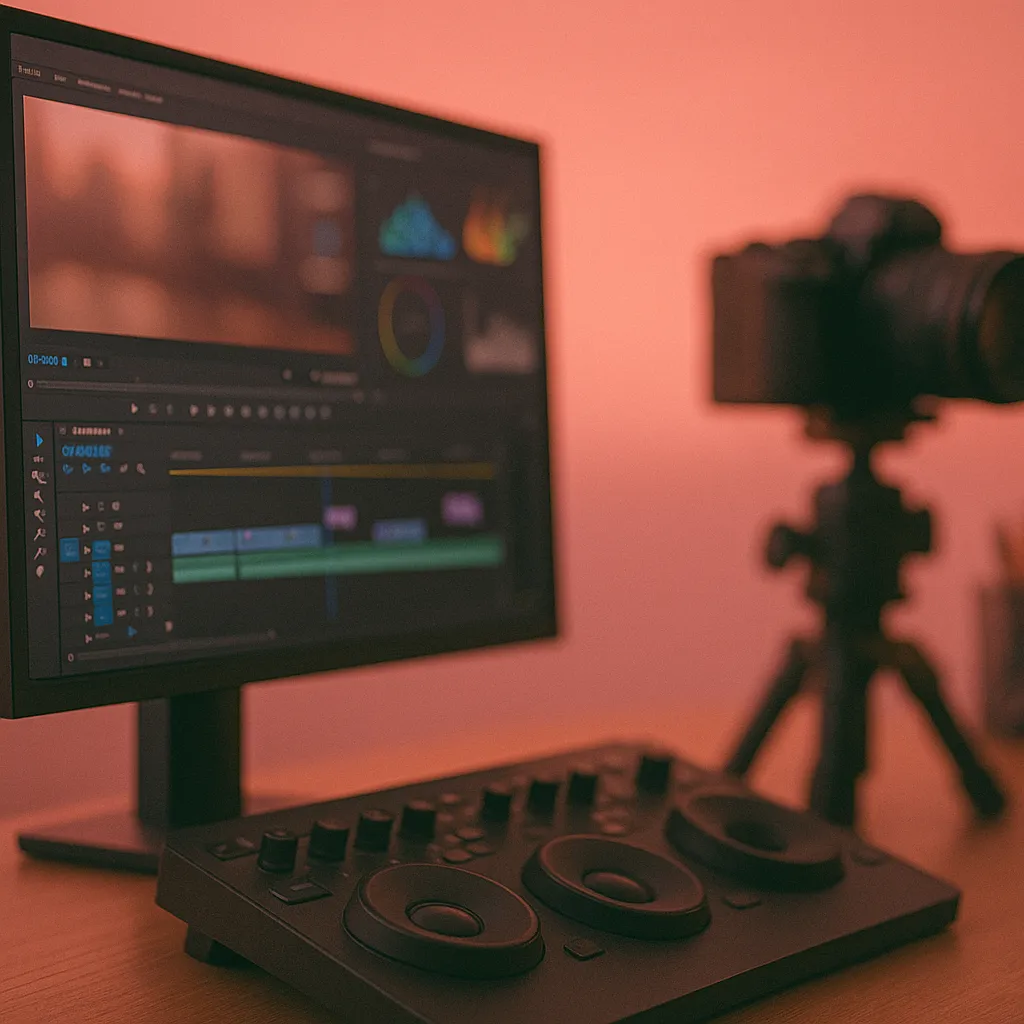
YouTube offers three primary in-stream ad formats – Bumper Ads, Skippable In-Stream Ads, and Non-Skippable In-Stream Ads. Each comes with specific technical requirements and unique creative considerations. Below is a breakdown of what video editors and agency producers should know when delivering these formats, including specs, best editing practices, recommended export settings, and relevant platform policies.
Bumper Ads (6-Second Non-Skippable Ads)
Bumper ads are ultra-short video ads (maximum 6 seconds) that viewers cannot skip. They typically play before the main video (pre-roll), ensuring the viewer sees the entire ad. Despite their brevity, bumpers can be powerful for quick brand awareness hits. Here’s what to keep in mind:
Technical Requirements for Bumper Ads
-
Duration: 6 seconds or shorter is mandatory – any longer and it won’t run as a bumper. Plan your edit strictly to 6.0s or less (including any fades).
-
Video Format & Codec: Must be a YouTube-supported video file – common formats include MP4, MOV, WMV, AVI, or MPEG. Google recommends using H.264 video compression (High Profile, progressive scan) with AAC-LC audio for best results. This ensures compatibility and high quality.
-
Resolution & Aspect Ratio: Minimum accepted resolution is 360p (e.g. 640×360), but HD resolution (720p or 1080p) is strongly recommended for a professional result. The standard aspect ratio is 16:9. YouTube supports other aspects (like vertical 9:16 or square 1:1) and will automatically adapt the player to them, so you can create vertical/square bumper versions if they suit your campaign. Avoid adding letterboxing – export at the native aspect ratio of your content.
-
File Size: Up to 1 GB is allowed, which is plenty for a 6s HD clip. YouTube’s infrastructure can handle large files, but using a reasonable bitrate (see Export Settings Section below) will keep your file size small without visible quality loss.
-
Audio: Audio is optional but highly recommended. Use stereo 48 kHz AAC audio (the standard for YouTube). Ensure your mix is clear, and avoid overly quiet levels – viewers should instantly catch any voiceover or sound cue in such a short ad.
-
Hosting: All video ads must be uploaded to YouTube (unlisted or public) to be used in campaigns. As an editor, deliver the final ad in a format ready for upload. (Typically, the marketing team or media agency will handle the actual upload and campaign setup.)
Creative & Editing Best Practices for Bumper Ads
-
Focus on One Message: In a six-second ad, simplicity is key. Don’t try to cram in multiple themes or a complex story. Choose one simple, impactful purpose for the ad. It could be a single tagline, a quick product showcase, or one joke, but it must be extremely clear and digestible in a few seconds.
-
Grab Attention Immediately: Since the viewer doesn’t choose to watch a bumper, you have zero time to gradually build up. Start with a striking visual or bold action in the very first frame to instantly draw attention.
-
Include Branding Early: Ensure the brand or product is identifiable, ideally by the halfway point. Many bumper ads feature the brand logo or product shot within the first second or two. Since there’s no risk of “skipping,” don’t hide the brand; make it clear who or what the ad is about.
-
Use Bold Audio/Visual Cues: With no time for a narrative arc, every element (visual and audio) should reinforce the message. Visual text or superimposed copy should be very brief (a few words) and in large, clear font if used at all.
-
Stick the Landing: Give your closing scene or message enough time on screen (at least ~1-2 seconds) to register with viewers, rather than cutting off abruptly.
-
Consider Series Sequencing: If you have slightly more complex storytelling, think in terms of a series of bumper ads rather than one 6s ad trying to do everything. Some campaigns deploy 2–3 different bumpers, each highlighting a facet of the message (since bumpers are sold on CPM, multiple short ads can collectively reinforce the campaign).You might create several variations of the same base creative, each with a unique hook or sub-message, to be rotated in the campaign for cumulative impact.
-
Test for Comprehension: Always review the bumper with fresh eyes (and with people unfamiliar with the project). In 6 seconds, is the key point coming across? Trim any extraneous detail. Every frame matters, so ensure the ad communicates even to a viewer blinking or glancing away.
Skippable In-Stream Ads (TrueView Skippable Ads)
Skippable in-stream ads are the standard YouTube ads that play before or during videos and allow viewers to skip after 5 seconds. They offer more runtime than bumpers, but the challenge is front-loading the content to hook the audience before they hit “Skip Ad.”
Technical Requirements for Skippable Ads
-
Duration: Skippable ads can technically be any length (there’s no hard max), but YouTube recommends keeping them under 3 minutes for user engagement purposes. In practice, most skippable ads are 15–60 seconds. You have flexibility to tell a longer story if needed (even a few minutes long), but remember that viewers can skip after 5s.
-
File Format & Size: Use the same standard video formats as noted for bumpers (MP4 is most common). Google’s spec allows extremely large files (up to 256 GB!) for video ads, so quality isn’t constrained by file size. Still, deliver a reasonably compressed file for upload efficiency (see Export Settings below). The .MP4 container with H.264 codec is ideal for compatibility. (Google Ads may list the format as “.MPG (MPEG-2 or MPEG-4)”; which effectively encompasses .MP4 files encoded in MPEG-4/H.264)
-
Resolution & Aspect Ratio: Full HD (1080p) is recommended for all skippable ads. Ensure your project is at least 1920×1080 (or higher if you have 4K footage – YouTube will downscale as needed). YouTube supports horizontal, vertical, and square video for ads. In addition to the standard 16:9 version (e.g. 1920×1080), consider preparing 9:16 vertical (1080×1920) or 1:1 square (1080×1080) versions of your ad if the campaign will target mobile heavily. This allows a more native look on mobile phones (YouTube will automatically show the vertical asset to mobile users if provided). Ensure text/design is safe in both widescreen and vertical framing.
-
Other Specs: Frame rates up to 60fps are supported (match your source footage frame rate). Audio should be AAC stereo 48 kHz (YouTube will handle multi-channel if provided, but stereo is safest). No bitrate limits, but follow YouTube’s encoding guidelines for quality (e.g. ~8 Mbps for 1080p is a good target). As always, upload the final video to an official YouTube channel so it can be used in the ad campaign.
Creative & Editing Best Practices for Skippable Ads
-
Hook the Viewer in <5 Seconds: The first five seconds are make-or-break. Since viewers can skip after 5s, your ad’s opening needs to immediately grab attention. Employ techniques like: an intriguing question or statement right upfront, a compelling visual sequence, quick cutting, or anything unexpected that prevents the reflex to skip. Avoid slow fades-in or long logo intros – jump straight into engaging content. For example, start at an exciting moment (action, humor, or a captivating scene) rather than building up slowly.
-
Integrate Branding Early (But Naturally): It’s wise to feature your brand within the first 5 seconds – either visually (logo/product) or verbally – so that even skippers get brand exposure. This boosts brand recall if the viewer skips. However, a balance is needed: Googles research shows ads with very prominent branding in the first 5 seconds can increase skip rates (people realize it’s an ad) even as they improve ad recall.
-
Use Engaging Tone and Emotion: Setting the right tone early can entice viewers to keep watching. Humor is often extremely effective – viewers are more likely to continue watching an ad that makes them smile or laugh, and humorous ads tend to see higher recall and brand awareness lifts. If comedy doesn’t fit the brand, consider creating suspense or emotion quickly – an intriguing or heartfelt opening can also hook viewers and boost ad recall. The key is to make the viewer feel something right away.
-
Maintain a Tight Pace: For skippable ads, especially those in the 15–30 second range, pacing is crucial. Keep the editing snappy – no dead air, and minimal slow scenes unless for deliberate effect.
-
Align Length with Goals: Tailor the ad’s length to its purpose. If the goal is awareness or a quick call-to-action, shorter ads (e.g. 15–20 seconds) often perform best, delivering the punchy message before viewers lose interest. For more in-depth consideration or storytelling (explaining a product, sharing a customer story), you might run longer 60–120 second ads – but only if the content can genuinely hold attention.
-
Plan for the Skip Button: Remember that the “Skip Ad” button appears at the 5-second mark, usually on the bottom right of the video frame. Be mindful not to place critical visuals or text in that corner in the early part of your ad. It’s wise to keep important content away from the extreme bottom/right area in general, as YouTube UI elements or captions could cover it. Use a safe margin for subtitles or graphics.
-
Test with and without Sound: Ensure your ad’s core message is understandable even if watched without audio. Many users have sound on for YouTube, but some may be on low volume or have hearing issues. Use on-screen text or supers to highlight key points Also make sure it’s engaging with sound if you can.
Non-Skippable In-Stream Ads (15-20s Forced-View Ads)
Non-skippable in-stream ads are the ads that viewers must watch in full (no “Skip” button). These typically run 15 seconds or shorter in most cases. They can appear pre-roll or mid-roll on longer videos. Because viewers are guaranteed to see the whole ad, non-skippables are often used for broad reach and brand impact like a TV commercial slot. However, viewers generally have less patience with forced ads, so it’s important to respect the format with concise, engaging creative.
Technical Requirements for Non-Skippable Ads
-
Duration: Standard non-skippable ads are 15 seconds maximum in most regions (some markets allow up to 20 seconds) Editors should confirm the intended buy: if the media plan is for 15s slots, deliver a 15s cut. If a 30s is planned, ensure the content can hold a full 30 seconds of forced view.
-
Resolution & Aspect: 16:9 HD (1080p) is the norm. Provide the highest quality footage you have – these ads often play before high-profile content, even on TV screens via casting or smart TVs, so quality matters. While vertical or square creatives are less common for non-skippable (the format is usually reserved for standard in-stream placements), YouTube does support vertical video ads across campaign types. If your campaign might appear in mobile apps or YouTube Shorts, you could supply a 15s vertical version to maximize screen usage. Otherwise, focus on the widescreen 16:9 version.
-
Other Considerations: Non-skippable ads may not run on certain devices (for example, historically they didn’t run on game console apps – though this may evolve). Also, YouTube limits how many non-skippable ads a viewer sees to protect user experience. For editors, this means your ad is likely to appear in high-value placements (often in front of sought-after content), so both technical and creative quality should be high.
Creative & Editing Best Practices for Non-Skippable Ads
-
Respect the Time Limit: With ~15 seconds to work with (or 20/30 in some cases), plan a tight narrative. Communicate the core message clearly and quickly. There’s room for a very brief intro, a key point or two, and a conclusion; but no fluff. Identify the single most important takeaway for the viewer and make sure that shines through by the end of the ad.
-
Treat It Like a Mini TV Commercial: In many ways, a non-skippable YouTube ad is like a classic TV spot. You have a captive audience for a short span, so you can use a traditional storytelling structure (brief setup → payoff). For example, a 15s ad might introduce a problem or scenario in the first 3-5 seconds, showcase the product/solution in the next 5-7 seconds, and close with a brand reveal or call-to-action in the final 3 seconds. Ensure the brand is clearly identified by the end (if not sooner). Unlike skippable ads, you could save the brand/logo for the end card since viewers will see it, but it often doesn’t hurt to show the product or mention the brand earlier as well, as long as it doesn’t feel too forced.
-
Engage Early – Viewers Can’t Skip, But They Can Tune Out: Even though the viewer must watch the ad, there’s a risk they mentally check out or resent the interruption if it’s dull. Hook their interest in the first few seconds anyway. Use a compelling opening image or sound to prevent the impulse to mute or mentally drift. For instance, start with an intriguing question, a bold visual, or a strong emotion to grab attention (similar to skippable best practices). You want them to want to watch the rest, even if they don’t have a choice.
Export Settings for YouTube Ads
Producing a YouTube ad involves not just creative editing but also exporting the file with the correct settings to meet YouTube/Google’s technical standards. Here are tips on the tools and optimal export configurations:
-
Video Codec & Format: H.264 is the gold-standard codec for YouTube uploads, balancing quality and file size. Export to an MP4 container with H.264 video encoding (Premiere/Final Cut’s “H.264” or “H.264 Blu-ray” presets, for example). Use progressive scan, High Profile settings with CABAC entropy encoding for best results (these are usually default in the YouTube presets). Note: Google also accepts other codecs like ProRes, DNxHR, HEVC (H.265), but H.264 is most universally compatible and uploads quickly.
-
Resolution & Frame Rate: Export at the highest resolution that matches your source or campaign needs. For most, that’s 1920×1080 (Full HD). If your footage is 4K and you want to future-proof or improve quality (YouTube may allocate a higher bitrate for 4K uploads), you can export in 3840×2160 (4K). Otherwise, 1080p is standard and more than sufficient for ads (and far smaller in file size than 4K). Keep the frame rate the same as your source footage (common rates like 24, 25, 30, or 60 fps are all fine). Avoid exporting interlaced video; always choose progressive.
-
Bitrate: YouTube doesn’t require a specific bitrate, but it provides recommendations for quality. For a 1080p video at 30fps, a target bitrate around 8 Mbps is a good guideline for H.264. You can go higher for complex content or lower if file size is a concern, but staying in the 8-10 Mbps range for 1080p will ensure crisp quality with little compression artifacting. If you export 4K, target ~35-45 Mbps. Use 2-pass encoding (VBR) if available, which optimizes bitrate distribution. For short ads, even CBR is fine since file size is small, but VBR 1-pass or 2-pass will be more efficient.
-
Audio Settings: Use AAC audio codec at 48 kHz sample rate (standard for video) and stereo output. A bitrate of 192 kbps to 320 kbps for audio is recommended for high fidelity. (Premiere’s YouTube preset, for example, uses AAC 320 kbps stereo.) Given that music and sound design can be important in ads, you don’t want the audio to sound muffled or tinny – 192+ kbps AAC will be transparent for viewers.
-
Fast Start (Streaming Optimization): Enable “fast start” or “web optimized” if your encoder has the option. This means moving the MP4’s metadata (moov atom) to the start of the file. It allows YouTube to begin processing playback more quickly once uploaded. Many modern encoders do this by default or have a checkbox for “Optimize for web”. It’s a small tweak but good practice.
-
Color & Levels: Export in standard sRGB/Rec.709 color space unless you intentionally graded in HDR. Rec.709 is the recommended color space for SDR uploads to YouTube. Make sure your black levels and white levels are within legal range (0–255 full range is fine; YouTube will handle either full or limited but maintains 8-bit BT.709 for SDR). If working in HDR, ensure you follow YouTube’s HDR upload guidelines – otherwise colors might look off. For most ad work, SDR Rec.709 is the target.
By following these export guidelines, you ensure your ad uploads smoothly to Google Ads/YouTube and looks/sounds as intended on all devices.